Guides
macOS
Guides
-

How to copy SSH keys to a server, clipboard or new PC
Copy your public SSH key to a server with ssh-copy-id or PowerShell, to the clipboard for GitHub, and move a key pair to a…
-

Where are SSH keys stored? Linux, macOS and Windows
Find your SSH key files on Linux, macOS and Windows, plus where a server keeps authorized_keys and its own host keys, and how to…
-

How to generate SSH keys for GitHub
Create an SSH key with ssh-keygen, add it to your GitHub account, test it with ssh -T and push and pull without typing a…
-
What are SSH keys? How they work, explained
What an SSH key pair is, how the public and private halves prove who you are, where the files live, and how to keep…
-
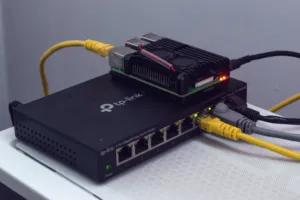
How to SSH into a Raspberry Pi
Turn on SSH on a Raspberry Pi, find it on your network by name or IP address, log in from Windows, macOS or Linux,…
-
What is SSH? How Secure Shell works and how to use it
What SSH is, how it keeps a remote login private, the commands you will use with it, and how to keep SSH access to…
-

DNS leak test: how to check where your DNS goes
Run a DNS leak test from the command line, see which resolver really answers your lookups, and stop DNS queries escaping your VPN.
-
How to check if a domain name is available
Check whether a domain is free with a WHOIS or RDAP lookup, read what “taken” really means, and see why a missing website proves…
-
The proxy requires a username and password: what it means
Why your browser asks for a proxy login, which username and password it wants, and how to remove a proxy you never meant to…
-

DNS lookup: how to check any domain’s DNS records
Run a DNS lookup with dig, nslookup or PowerShell, read the answer and status, and check whether a DNS change is really live.