
Start here
The essentials


Every guide in this topic
-

How to create an SSH key on Windows 10 and 11
Create an SSH key pair on Windows 10 or 11 with the built-in ssh-keygen, load it into ssh-agent, and copy the public key to…
-

How to generate SSH keys for GitHub
Create an SSH key with ssh-keygen, add it to your GitHub account, test it with ssh -T and push and pull without typing a…
-
What are SSH keys? How they work, explained
What an SSH key pair is, how the public and private halves prove who you are, where the files live, and how to keep…
-
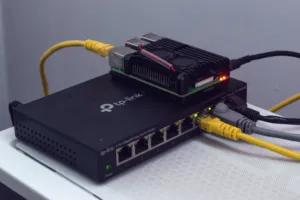
How to SSH into a Raspberry Pi
Turn on SSH on a Raspberry Pi, find it on your network by name or IP address, log in from Windows, macOS or Linux,…
-
What is SSH? How Secure Shell works and how to use it
What SSH is, how it keeps a remote login private, the commands you will use with it, and how to keep SSH access to…
-
Git Bash for Windows: what it is and how to use it
Install Git Bash on Windows, learn how its paths work, and use its built-in ssh, scp and ssh-keygen to manage a Linux server.
-

How to check your Ubuntu or Linux version
Find out which Ubuntu, Debian, AlmaLinux or Rocky Linux release a server runs, plus its kernel and architecture, with one or two commands.
-
How to set up SSH keys
Replace passwords with a key pair, log in without typing a password, and then switch password login off for good.
-

How to connect to a server with SSH
Open a secure command line on a remote server from Windows, macOS or Linux, and understand the host key prompt you see the first…