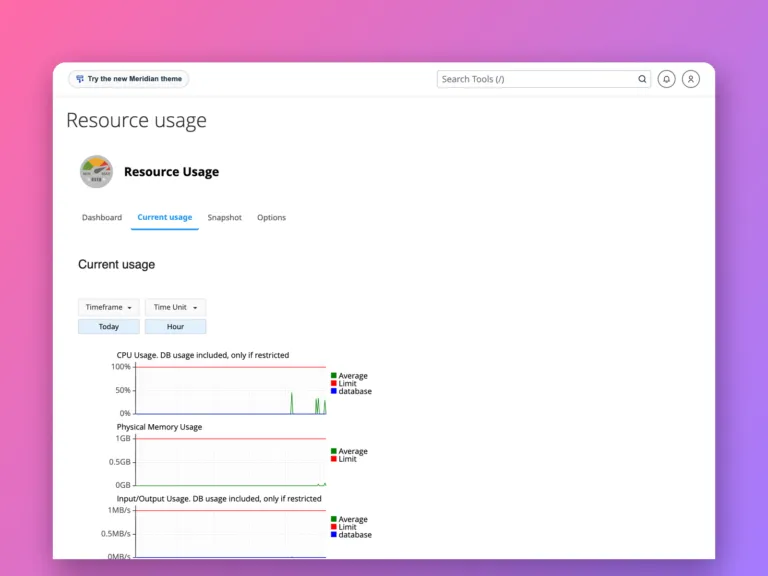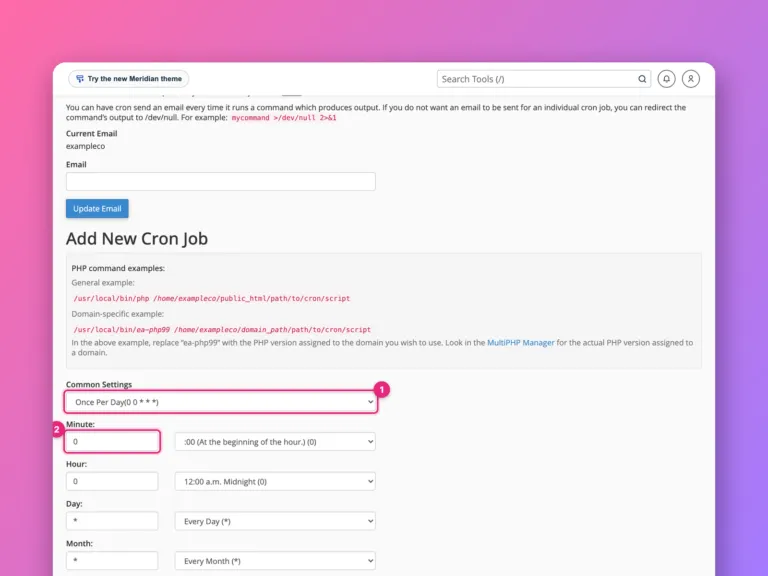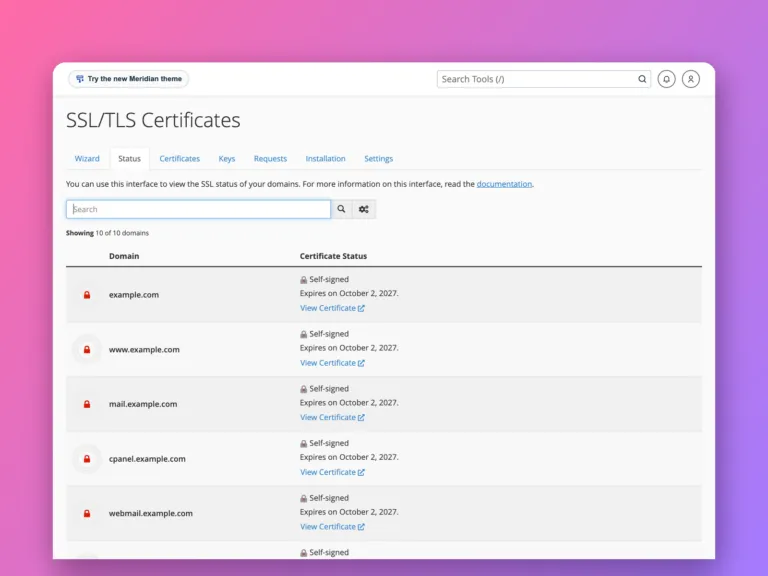
A control panelControl panel A website you log into to manage your hosting with buttons and forms, instead of typing commands. cPanel and Plesk are the common ones. More about Control panel → is a web interface for running a hosting account. Instead of typing commands on the server, you click through screens to add domains, create email accounts, make databases, upload files and install SSL certificates.
cPanelcPanel The most popular hosting control panel: a website where you manage your email, files, databases and domains with point-and-click tools instead of commands. More about cPanel → is the most common panel on shared hostingShared hosting Hosting where your website shares one server with many others. Cheap and simple; the host looks after the server. More about Shared hosting →. Plesk is its main alternative and is popular on both Linux and Windows servers. Both do broadly the same jobs.
What you can do in a control panel
- Files: upload and edit website files in a browser, or create FTP and SFTPSFTP A secure way to copy files between your computer and a server. Like dragging files into a folder, but the folder is on the server. More about SFTP → logins.
- Databases: create MySQL or MariaDB databases and users, and open phpMyAdmin.
- Domains: add domains and subdomainsSubdomain A name in front of your domain, like shop.example.com or blog.example.com. It can show a different site from the main one. More about Subdomain → and set where they point.
- Email: create mailboxes, forwarders and autoresponders, and read mail in webmail.
- SSL: install free certificates, usually with one click.
- Backups: download a full copy of the account or restore one.
- Apps: install WordPress and other software with an installer.
Where things are in cPanel
cPanel’s home screen groups tools into sections. The names vary slightly by host and theme, but these are the ones you will use most:
| Task | Section | Tool |
|---|---|---|
| Upload or edit site files | Files | File Manager |
| Create an SFTP or FTP login | Files | FTP Accounts |
| Download a full backup | Files | Backup or Backup Wizard |
| Create a database and user | Databases | MySQL Database Wizard |
| Browse or export a database | Databases | phpMyAdmin |
| Add another website | Domains | Domains |
| Edit DNS records | Domains | Zone Editor |
| Create a mailbox | Email Accounts | |
| Check email authentication | Email Deliverability | |
| Install or check SSL | Security | SSL/TLS Status |
| Choose a PHP version | Software | MultiPHP Manager or Select PHP Version |
| See resource limits | Metrics | Resource Usage |
| Read error logs | Metrics | Errors |
The search box at the top finds any tool by name, which is usually quicker than browsing.
Common tasks
Install WordPress. Most hosts include an installer, such as Softaculous or WP Toolkit, under Software. It creates the database, user and files in one step. Choose https:// and the right domain before installing.
Get a free SSL certificateSSL/TLS certificate The small file that proves a website is really who it says it is and turns on the padlock (HTTPS). More about SSL/TLS certificate →. Most cPanel servers run AutoSSL, which issues and renews certificates for every domain on the account automatically. If a domain shows a self-signed or missing certificate in SSL/TLS Status, check that the domain points at the server, then click Run AutoSSL.
Set up email authentication. Email Deliverability checks the SPFSPF A list you publish saying which services are allowed to send email for your domain. Mail from anywhere else looks suspicious. More about SPF → and DKIM records for each domain and offers to fix them if cPanel manages your DNS. If your DNS is elsewhere, such as Cloudflare, copy the suggested records there. See how to set up SPF, DKIM and DMARC.
Make a full backup. Backup > Download a Full Account Backup creates a single archive with files, databases, email and settings, which another cPanel server can restore. See how to migrate cPanel to cPanel.
cPanel and WHM
On a server with cPanel there are two interfaces. WHMWHM WebHost Manager: the administrator side of cPanel, used by whoever runs the server to create and manage hosting accounts. More about WHM → (WebHost Manager) is for the server administrator, who creates hosting accounts. cPanel is what each account owner logs into. On shared hosting you only see cPanel.
Other control panels
| Panel | Notes |
|---|---|
| cPanel and WHM | The shared hosting standard; licensed per account |
| Plesk | Linux and Windows; popular with agencies and Windows hosting |
| DirectAdmin | Lighter and cheaper than cPanel, similar features |
| Free open-source panels | Such as HestiaCP and CyberPanel; no licence fee, smaller communities |
Moving between different panels is harder than between two servers running the same one, because backups are in different formats. Moving files and databases by hand always works.
Keep your panel login safe
Your control panel login can change everything: files, email, DNSDNS The internet’s phone book. It turns a name people can remember, like example.com, into the number address computers use to find the server. More about DNS → and backups. Turn on two-factor authentication (cPanel has it under Security > Two-Factor Authentication), use a unique password, and give developers their own FTP or SFTP login rather than your panel password.
Do you need one?
On shared hosting, you will get one, and it is the normal way to manage things. On a VPSVPS A private slice of a powerful server, with its own guaranteed share of memory and processing and full control, at a fraction of the price of a whole machine. More about VPS →, a panel is optional. It saves time if you run many sites or are not comfortable on the command line, but it uses some memory and usually has a licence cost. Free open-source panels exist too. If you run one or two sites and are happy with SSH, you can manage everything directly, as the DIY guides show.
Related
Something out of date? Software changes. If a step no longer works, tell us and we will check it and update the page.