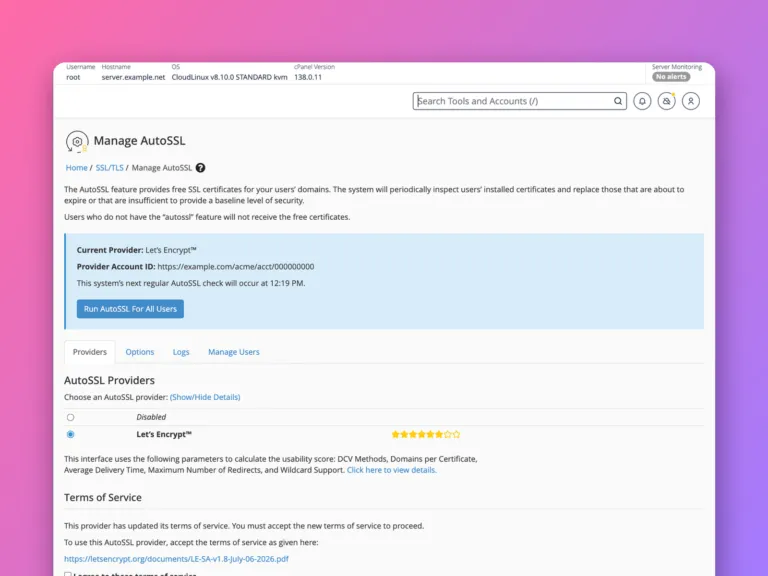
Almost every cPanelcPanel The most popular hosting control panel: a website where you manage your email, files, databases and domains with point-and-click tools instead of commands. More about cPanel → server issues free certificates automatically with AutoSSL, covering each domain and its www, mail and other subdomainsSubdomain A name in front of your domain, like shop.example.com or blog.example.com. It can show a different site from the main one. More about Subdomain →. Usually you do nothing. When a domain shows a warning instead, the SSL/TLS Status page tells you why.
Open Security » SSL/TLS Status. Domains with a green padlock are covered. For any marked Self-signed or failed, make sure the domain points at this server, then click Run AutoSSL. Once it has a valid certificate, turn on Force HTTPSHTTPS The secure version of the web, shown by the padlock. Everything sent between you and the site is scrambled so nobody in between can read or change it. More about HTTPS → Redirect under Domains.
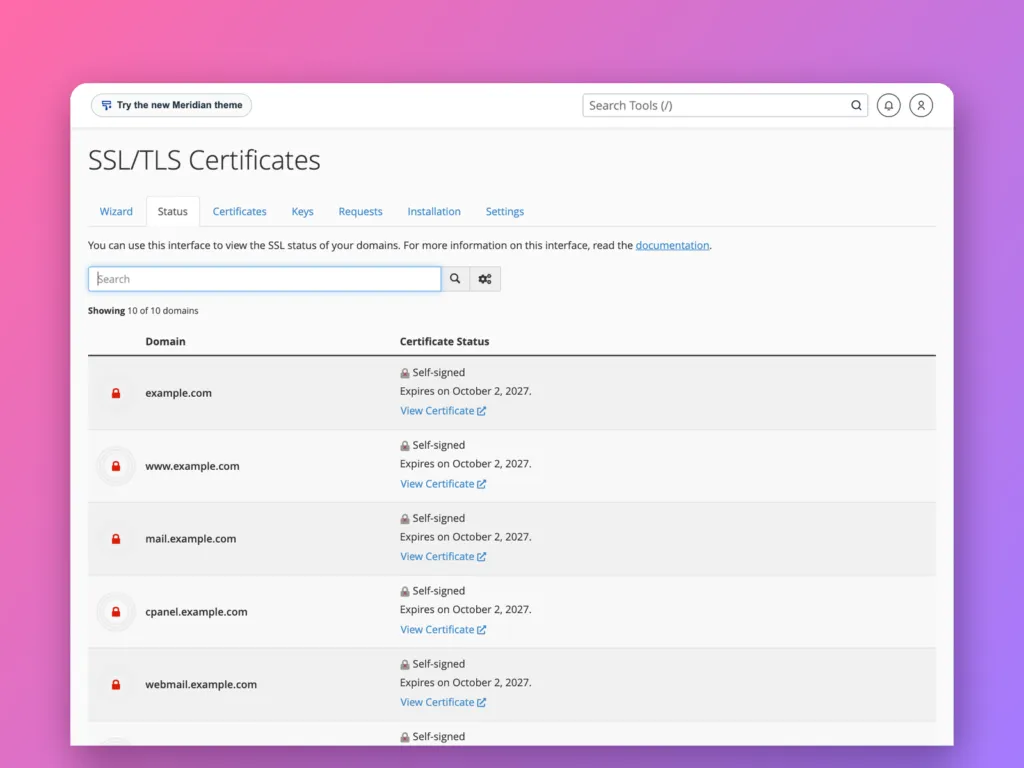
Read the status page
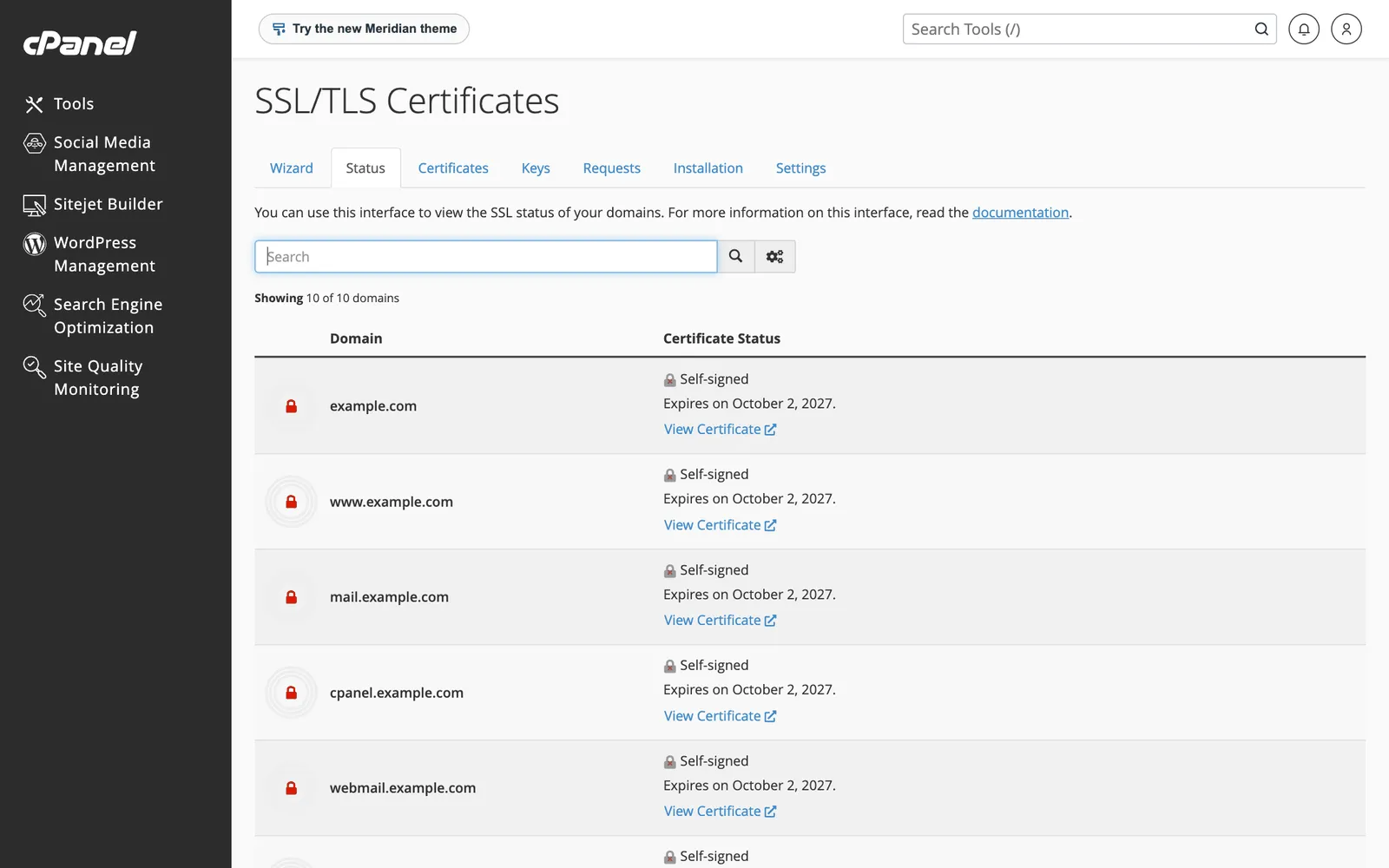
Each name on the account is listed: the domain, www, and cPanel’s own subdomains such as mail, cpanel and webmail. Each shows one of:
| Status | Meaning |
|---|---|
| Green padlock, AutoSSL Domain Validated | A trusted certificate, renewed automatically |
| Self-signed | A placeholder that browsers do not trust; AutoSSL has not succeeded yet |
| Expires soon | AutoSSL will renew it; if the date passes, renewal is failing |
On this demo account every name is Self-signed, because the demo domain does not point at this server, so AutoSSL cannot prove control of it. That is the most common reason in real life too.
The home screen’s General Information panel shows the same status for the main domain, with a “Your domain is at risk!” warning while it is self-signed.
Why AutoSSL skips a domain
AutoSSL proves you control each name by fetching a file from it over HTTP, or by checking DNSDNS The internet’s phone book. It turns a name people can remember, like example.com, into the number address computers use to find the server. More about DNS →. It fails when:
- The domain points somewhere else. Check
dig example.com +shortmatches the account’s Shared IP Address. - Only some names point here. For example
wwwstill points at an old host. Fix the record, or AutoSSL leaves that name out. - A proxy or CDNCDN A network of servers around the world that keep copies of your site’s files, so each visitor gets them from somewhere nearby. Faster pages, less work for your server. More about CDN → is in front. With Cloudflare’s proxy on, AutoSSL may still work through DNS validation, but if it does not, use Cloudflare’s own certificate with “Full (strict)” mode.
- Redirect or security rules block the
/.well-known/path, for example an.htaccessrule. - The certificate authorityCertificate authority A trusted organisation that checks a website really owns its name, then issues the certificate behind the padlock in your browser. More about Certificate authority →’s rate limits were hit after many failures. Waiting a day clears it.
After fixing the cause, click Run AutoSSL at the top of the page. It takes a few minutes; reload to see the result. Hosts can also limit how often you may run it, in which case the next scheduled run, usually daily, picks it up.
Force HTTPS
Once the padlock is green, send every visitor to HTTPS. Go to Domains » Domains and switch on Force HTTPS Redirect for the domain. On WordPress, also make sure Settings » General uses https:// addresses.
Turn it on only after the certificate is valid. Forcing HTTPS on a self-signed certificate locks visitors out behind a browser warning.
Using your own certificate
If you bought a certificate, use Security » SSL/TLS » Generate, view, upload, or delete SSL certificatesSSL/TLS certificate The small file that proves a website is really who it says it is and turns on the padlock (HTTPS). More about SSL/TLS certificate → and Manage SSL sites to paste the certificate, private key and the issuer’s CA bundle. Bought certificates do not renew themselves; note the expiry date. Exclude the domain from AutoSSL under SSL/TLS Status so it does not replace yours.
Official documentation
- SSL/TLS Status, cPanel documentation.
Related
Something out of date? Software changes. If a step no longer works, tell us and we will check it and update the page.