On a cPanelcPanel The most popular hosting control panel: a website where you manage your email, files, databases and domains with point-and-click tools instead of commands. More about cPanel → server, PHP is managed with three WHM tools. EasyApache 4 installs PHP versions and extensions. MultiPHP Manager chooses which version each site uses and how PHP runs. The MultiPHP INI Editor sets PHP’s limits. Getting these right keeps sites fast, secure and compatible.
Install the PHP versions and extensions you need in Software » EasyApache 4 » Customize. Set the default version and turn on PHP-FPMPHP-FPM The part of the server that runs PHP code, the language WordPress and many sites are written in, and hands the finished page to the web server. More about PHP-FPM → in Software » MultiPHP Manager. Set limits such as memory_limit per version in Software » MultiPHP INI Editor. Customers can then choose any installed version for their own domains in cPanel.
EasyApache 4: install versions and extensions
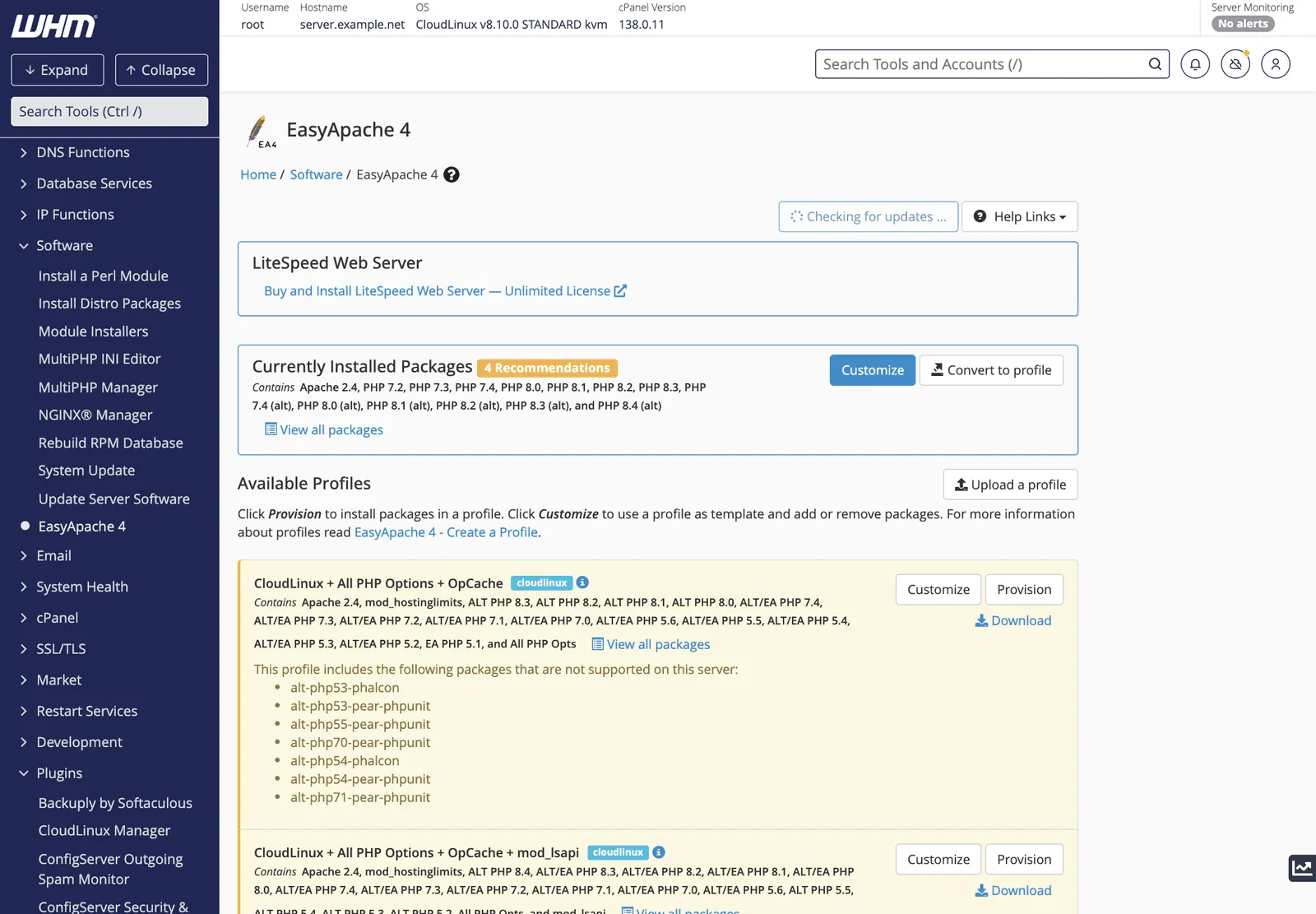
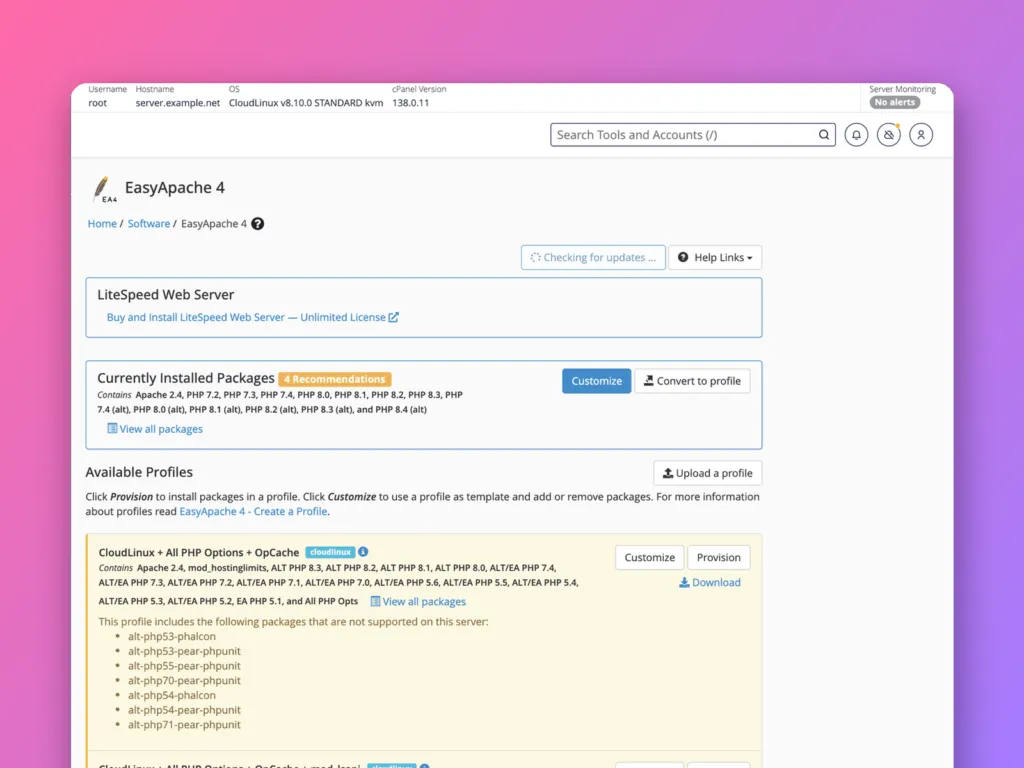
EasyApache 4 builds the web serverWeb server The program that answers visitors’ browsers and sends them your website. Also used for the computer it runs on. More about Web server → and PHP from profiles: lists of packages to install.
- Currently Installed Packages shows the active profile: ApacheApache One of the most common programs that sends web pages to visitors. It is the waiter between your website’s files and the people asking for them. More about Apache →, its modules, and each PHP version (
ea-php81,ea-php83and so on). - Customize opens a step-by-step editor: Apache MPM, Apache modules, PHP Versions, PHP Extensions, then Review and Provision.
- Available Profiles are ready-made sets. CloudLinux servers add profiles with their own
alt-phpversions.
To add a PHP version, click Customize, go to PHP Versions, switch on the version, then on PHP Extensions add the extensions your sites need, such as intl, imagick, redis or sodium. On the Review page, check nothing you rely on is being removed, then Provision. Provisioning takes a few minutes and briefly restarts the web server.
Before changing a production server, use Convert to profile to save the current setup, so you can return to it.
MultiPHP Manager: versions and handlers
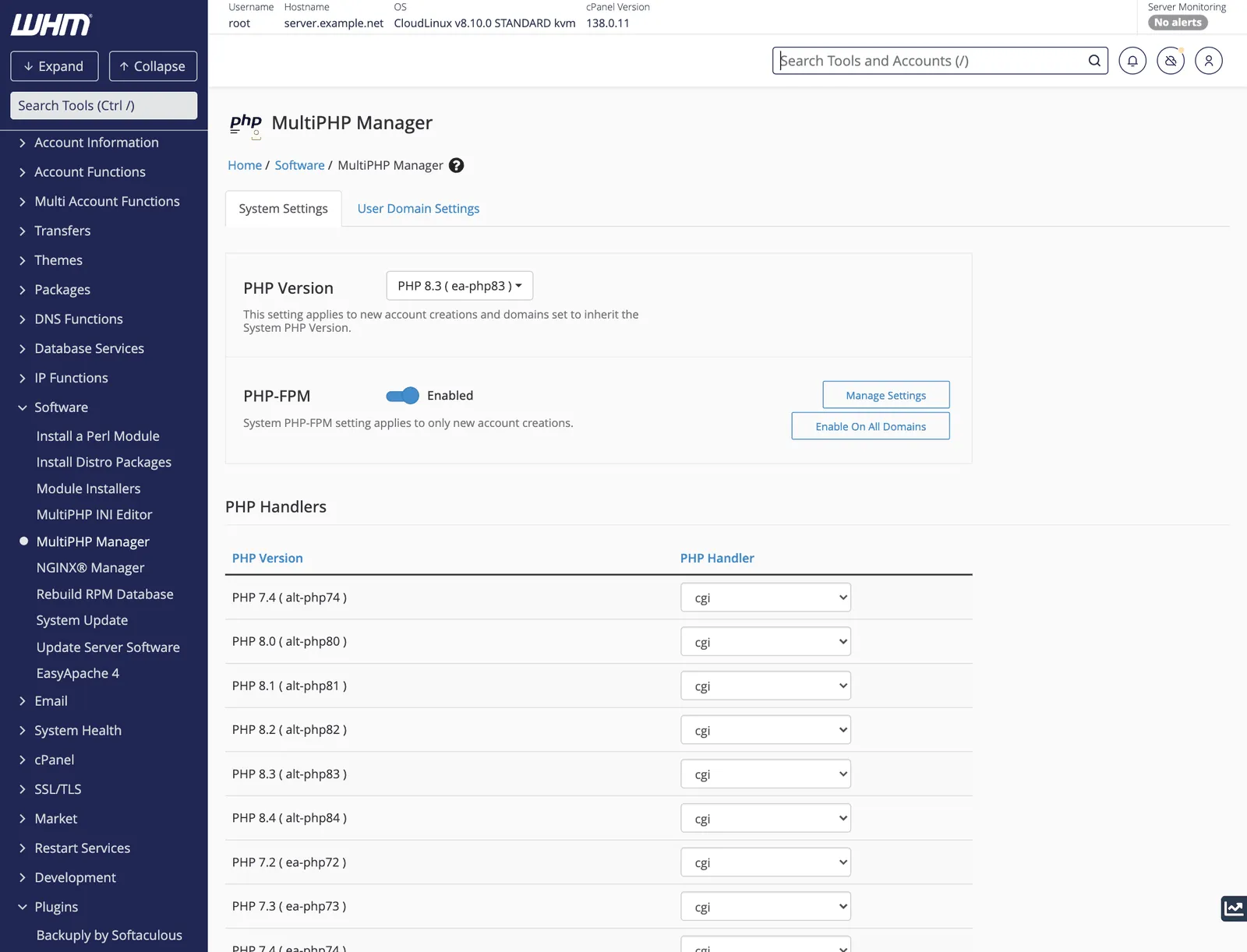
- PHP Version: the server default, used by new accounts and any domain set to inherit. Keep it on a version that still receives security updates.
- PHP-FPM: the default for new accounts. PHP-FPM keeps PHP processes ready to answer, which is much faster than starting PHP for every request. Enable On All Domains switches existing sites over. See PHP-FPM.
- PHP Handlers: how each version runs when PHP-FPM is off:
cgi,suphp,lsapi(on LiteSpeed or CloudLinux) and others. With PHP-FPM on, the handler matters less.
The User Domain Settings tab sets the version for individual domains, which customers can also do themselves in cPanel. See PHP in cPanel.
Upgrading the default version safely
- Install the new version in EasyApache 4 with the same extensions as the current one.
- Move one test site to it in User Domain Settings and check it works.
- Change the system default.
- Domains that inherit move automatically; sites pinned to an old version stay on it, so contact those customers.
MultiPHP INI Editor: server-wide limits
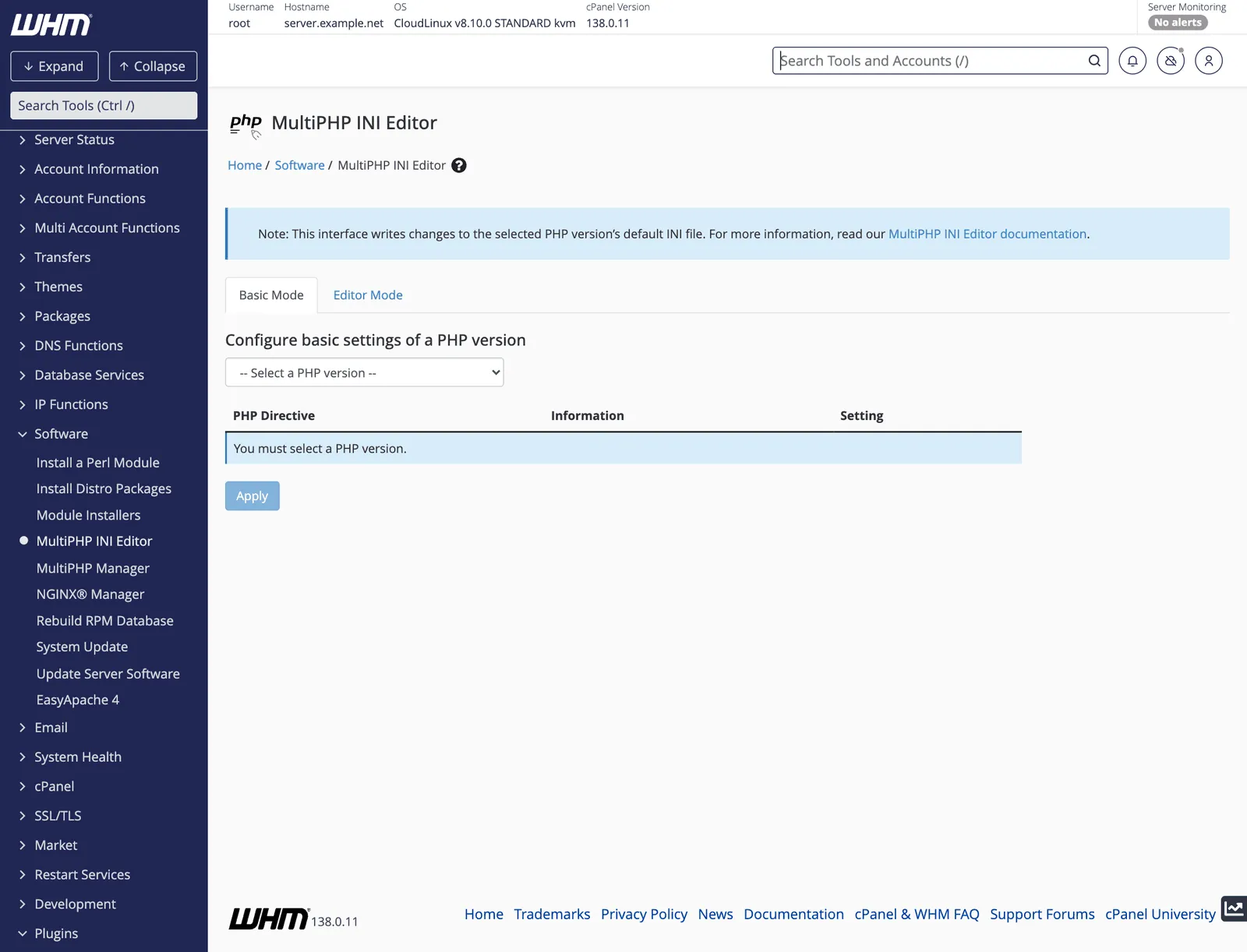
Choose a PHP version, then change its settings. These become the defaults for every site on that version; customers can override them for their own domains in cPanel, up to any hard limits.
| Setting | Sensible server default |
|---|---|
memory_limit | 256M |
upload_max_filesize | 64M |
post_max_size | 64M |
max_execution_time | 60 |
max_input_vars | 3000 |
Editor Mode shows the raw php.ini for that version. Changes apply on the next request; with PHP-FPM, WHMWHM WebHost Manager: the administrator side of cPanel, used by whoever runs the server to create and manage hosting accounts. More about WHM → restarts the pools for you.
On CloudLinux
CloudLinux servers also have the PHP Selector (alt-php versions), which customers use from Select PHP Version in cPanel. It is configured in CloudLinux Manager in WHM. If both are in use, make sure customers know which tool applies: a domain set to a MultiPHP version ignores the PHP Selector, and the reverse.
Related
- What a reverse proxy is.
- 502 Bad Gateway, often a PHP-FPM problem.
Something out of date? Software changes. If a step no longer works, tell us and we will check it and update the page.