Start here
The essentials


Every guide in this topic
-

What is WSL? How to run Linux on Windows
Install the Windows Subsystem for Linux with one command and get a real Ubuntu terminal for practising server commands on your own PC.
-
How to edit a WordPress site with Cursor safely
Use Cursor to change and fix an existing WordPress site safely: back up first, use a child theme, let the AI read debug.log, and…
-
How to build a WordPress site with Cursor
Build a custom WordPress block theme with Cursor’s AI agent: set up WordPress locally, write project rules, generate the theme, refine it and put…
-
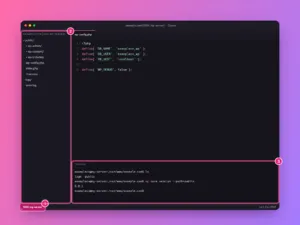
How to connect Cursor to a server over SSH
Edit files on your Linux server or VPS directly in Cursor with Remote-SSH: add the host, connect, open the site folder and use the…
-

How to use rsync to copy and sync files between servers
Copy and sync folders locally or between servers with rsync: the options you need, the trailing slash rule, dry runs, deletes, backups and migrations.
-

How to renew a Let’s Encrypt certificate with Certbot
Check that Certbot renews on its own, test renewal safely, force one when needed, reload your web server, and fix the usual reasons renewal…
-

How to back up a Linux server
Dump the databases, copy the files to another machine every night with rsync and cron, and prove the backup works by restoring it.
-

How to turn on automatic security updates
Have the server install security patches by itself every day, on Ubuntu with unattended-upgrades and on RHEL-based systems with dnf-automatic.
-

How to set up a firewall on Linux
Block everything except SSH and the web with UFW on Ubuntu or firewalld on RHEL-based systems, without locking yourself out.
-

How to get a free SSL certificate with Let’s Encrypt
Issue a trusted HTTPS certificate in one command with Certbot, redirect HTTP to HTTPS, and make sure it renews by itself.