cPanelcPanel The most popular hosting control panel: a website where you manage your email, files, databases and domains with point-and-click tools instead of commands. More about cPanel → lets you attach several domain names to one hosting account, and it uses three different words for it: addon domain, subdomainSubdomain A name in front of your domain, like shop.example.com or blog.example.com. It can show a different site from the main one. More about Subdomain → and alias. They behave differently, and picking the wrong one is the most common reason a new domain shows the wrong site. This page explains each in plain terms and tells you which to use.
Use an addon domain for a separate website with its own domain name. Use a subdomain for a section of a site you already own, such as blog.example.com. Use an alias (also called a parked domain) only when a second domain should show exactly the same site as the first.
The three types
| Type | Example | Shows | Own folder | Own email |
|---|---|---|---|---|
| Addon domain | newbusiness.com | A different website | Yes | Yes |
| Subdomain | shop.example.com | A different site or app under your domain | Yes | Yes |
| Alias | example.net | The same website as the main domain | No, uses the main folder | Yes |
Addon domain
A completely separate domain name hosted in the same account. Each addon domain has its own folder, its own site and its own email addresses, even though it shares the account’s disk space and resources. It is the right choice when you run more than one website from one plan.
Subdomain
A prefix added to a domain you already have: blog, shop, staging. It points at its own folder, so it can hold a different WordPress install, a test copy or an app. Subdomains cost nothing and need no domain registration. See what a subdomain is.
Alias
An alias points a second name at the same files as an existing domain. Visitors to example.net see the same site as example.com. It is useful for common misspellings, other extensions of the same brand, or an old name you are retiring. Use a redirect instead if you want the address bar to change to the main domain, which is also better for search engines.
How to choose
| You want to… | Use |
|---|---|
| Host a second business or brand | Addon domain |
| Make a test copy of your site | Subdomain |
Run a shop on shop.example.com | Subdomain |
Have example.net show the same site | Alias, or better a redirect |
| Redirect an old domain to a new one | A redirect, not an alias |
What each one needs in DNS
The domain must point at your hosting before cPanel can serve it. For an addon domain or alias, either change the domain’s nameservers to your host’s, or create an A record pointing at the server’s IP addressIP address The number address of a device on the internet, like 203.0.113.10. Computers use it to find each other, the way post uses street addresses. More about IP address →. Subdomains of a domain already using your host’s DNS are normally created automatically. If a new domain shows an error or someone else’s site, see how to fix DNS_PROBE_FINISHED_NXDOMAIN and DNS propagation.
How to create one
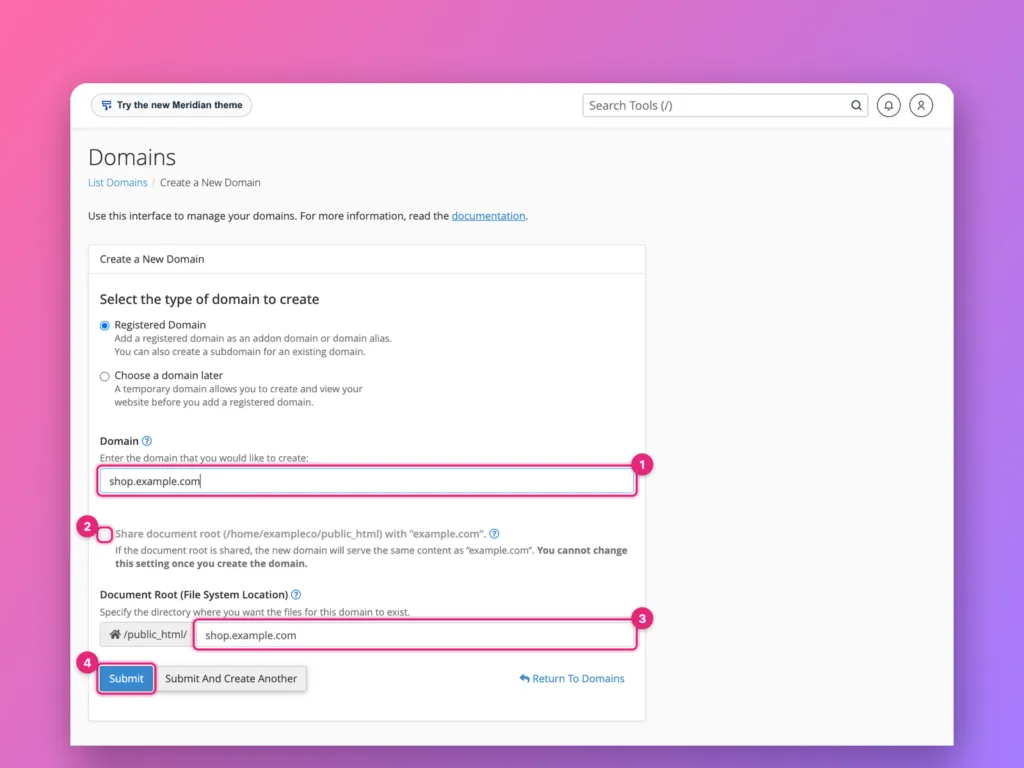
The click-by-click steps, with screenshots, are in how to add a domain in cPanel. In short, open Domains in cPanel, choose Create A New Domain, enter the name, and decide whether it shares the main document root or gets its own folder. Untick the shared option for an independent site.
SSL and email on extra domains
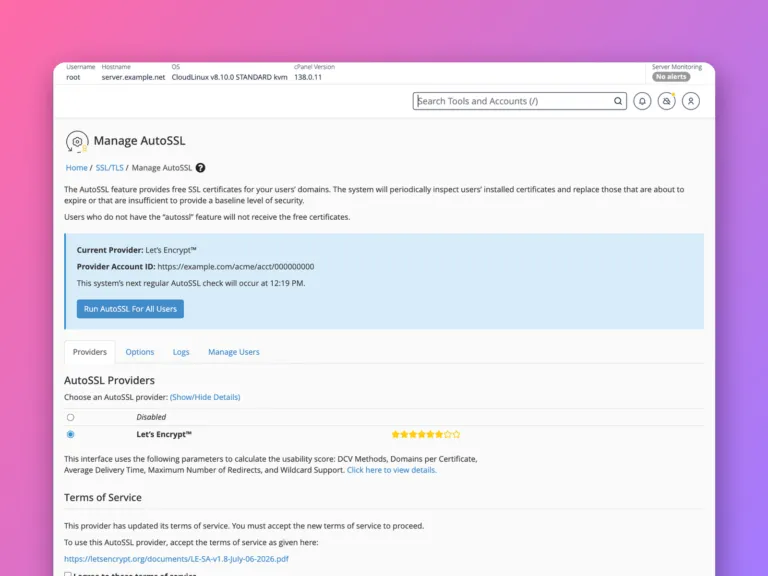
Each domain needs its own certificate. On cPanel, AutoSSL issues them automatically once DNSDNS The internet’s phone book. It turns a name people can remember, like example.com, into the number address computers use to find the server. More about DNS → points at the server, usually within a day; see SSL in cPanel and AutoSSL in WHM. Email accounts can be created separately for each domain; see creating an email account in cPanel. Remember to set up SPF, DKIM and DMARC for every new domain you send mail from.
Common mistakes
- Using an alias for a separate site. Both names show the same content. Use an addon domain instead.
- Forgetting the folder. An addon domain placed in the main
public_htmlfolder shows the main site. - Not pointing DNS. Creating the domain in cPanel does nothing until DNS sends visitors to the server.
- Sharing one WordPress install between unrelated domains. Keep separate sites in separate folders.
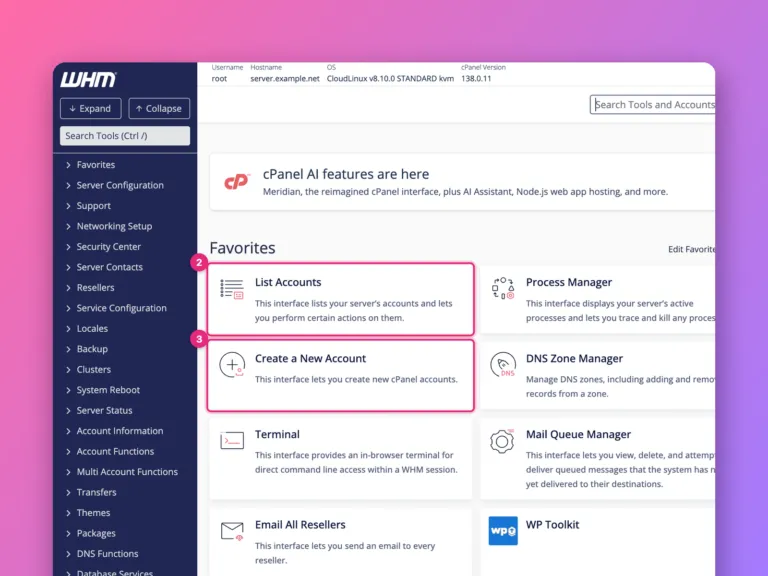
- Hitting account limits. The hosting plan sets how many addon domains you may create; the hosting provider can raise it in WHM.
Related
- How to add a domain in cPanel.
- How to edit DNS records in cPanel.
- How to use cPanel, a tour of every section.
Something out of date? Software changes. If a step no longer works, tell us and we will check it and update the page.