WHMWHM WebHost Manager: the administrator side of cPanel, used by whoever runs the server to create and manage hosting accounts. More about WHM → (WebHost Manager) is the administrator side of cPanelcPanel The most popular hosting control panel: a website where you manage your email, files, databases and domains with point-and-click tools instead of commands. More about cPanel →. Where each customer logs into cPanel to manage their own website and email, the server’s owner uses WHM to create those accounts, set their limits, and run the server. This tour covers WHM in cPanel 138.
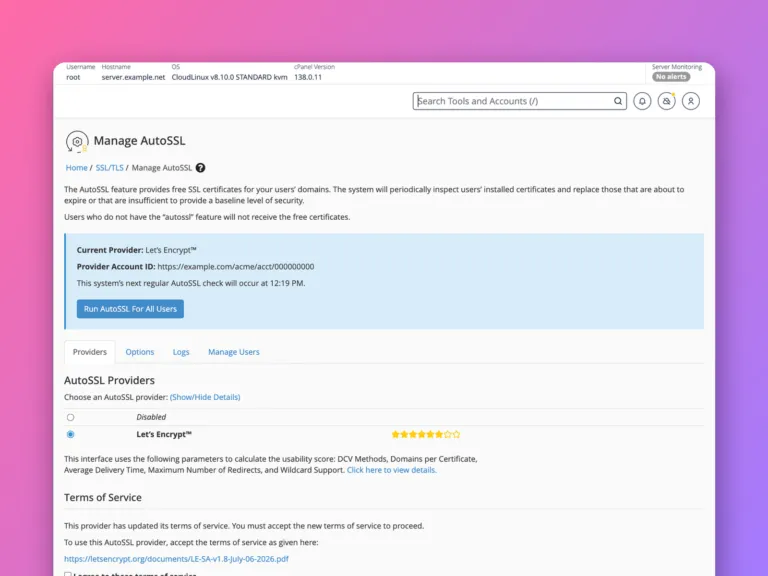
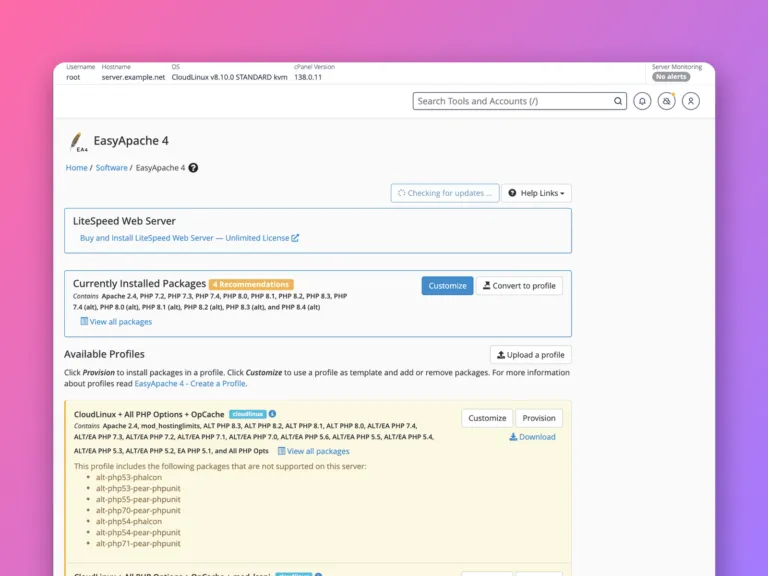
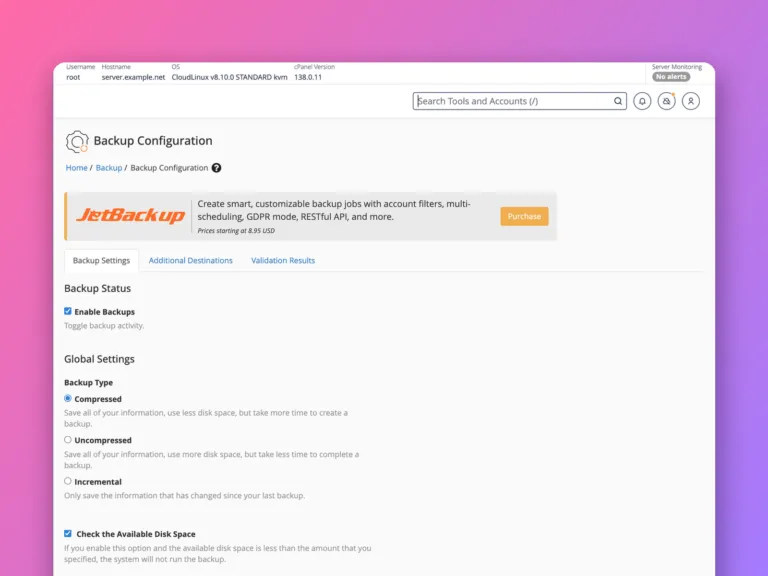
Log in at https://your-server:2087 as root or a reseller. Use the Search Tools box at the top left to find any of WHM’s hundreds of tools by name. The ones you will use most are Create a New Account, List Accounts, Packages, Backup Configuration, MultiPHP Manager and Manage AutoSSL.
WHM or cPanel?
| WHM | cPanel | |
|---|---|---|
| Used by | The server administrator or a reseller | Each hosting customer |
| Port | 2087 | 2083 |
| Manages | The whole server and every account | One account’s sites, email and databases |
| Example tasks | Create accounts, set packages, configure backups, install PHP versions | Create mailboxes, install WordPress, edit DNS records |
On shared hostingShared hosting Hosting where your website shares one server with many others. Cheap and simple; the host looks after the server. More about Shared hosting → you only ever see cPanel. You get WHM with a reseller plan, limited to your own customers, or with a VPSVPS A private slice of a powerful server, with its own guaranteed share of memory and processing and full control, at a fraction of the price of a whole machine. More about VPS → or dedicated server running cPanel, where you are root and see everything. See what cPanel is.
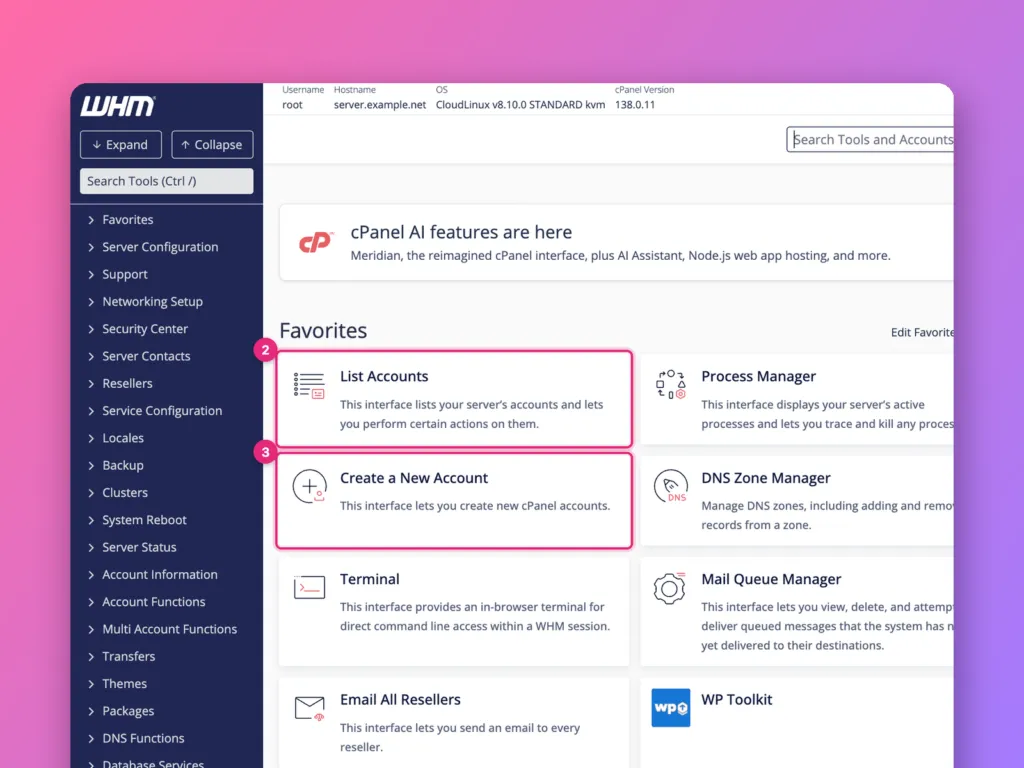
The home screen
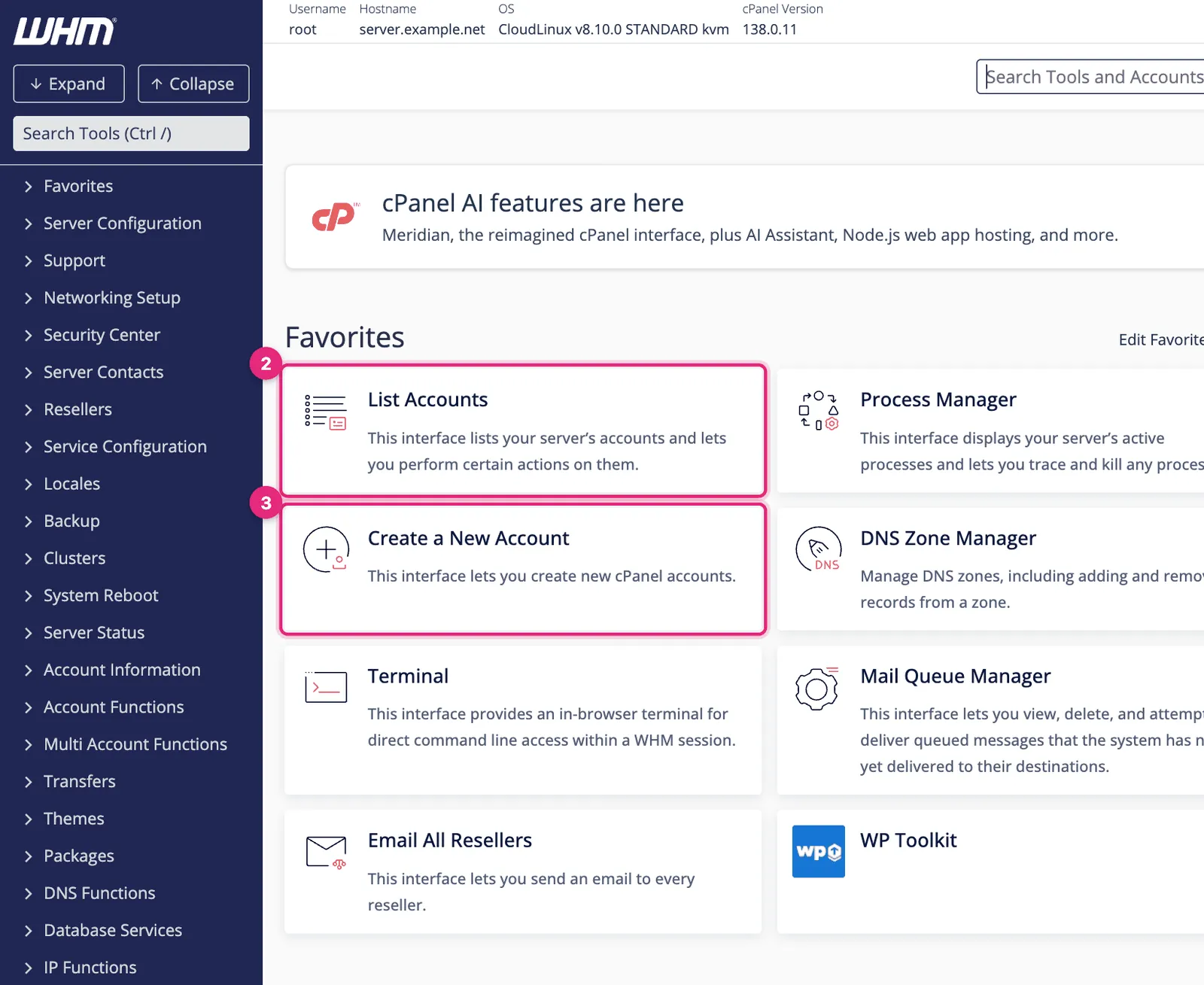
- Search Tools (press
Ctrl+/) finds any tool by name. With hundreds of tools in the sidebar, this is how experienced admins move around. - List Accounts shows every hosting account, with quick links into each one’s cPanel.
- Create a New Account sets up a new customer.
The left sidebar groups every tool into sections such as Account Functions, Packages, Backup, Software and SSL/TLS. The top bar shows the server’s hostname, operating system, cPanel version and load. Star a tool to add it to Favorites on this home screen.
Where the common tasks live
| Task | Sidebar section » Tool | Guide |
|---|---|---|
| Create a hosting account | Account Functions » Create a New Account | Create an account |
| Define plans and limits | Packages » Add a Package | Packages |
| Modify, suspend or remove accounts | Account Functions | Manage accounts |
| Configure server backups | Backup » Backup Configuration | Backups in WHM |
| Choose PHP versions and extensions | Software » MultiPHP Manager, EasyApache 4 | PHP in WHM |
| Free certificates for every site | SSL/TLS » Manage AutoSSL | AutoSSL in WHM |
| Move accounts from another server | Transfers » Transfer Tool | cPanel to cPanel |
| Open a customer’s cPanel | List Accounts » the cP icon |
First steps on a new cPanel server
Work through these before the server hosts anything important:
- Set the hostname to a name that resolves to the server, such as
server.example.com(Networking Setup » Change Hostname). Mail delivery and SSL for the WHM login depend on it. - Turn on two-factor authentication for root (Security Center » Two-Factor Authentication), then enable the policy so every WHM and cPanel user can use it.
- Protect logins with cPHulk Brute Force Protection (Security Center), which blocks addresses after repeated failed logins. Add your own IP to its allow list first.
- Use SSHSSH A secure way to type commands on a server from your own computer, as if you were sitting at it. More about SSH → keys for root and switch off password logins. See SSH keys.
- Configure backups to a destination off the server. See backups in WHM.
- Check AutoSSL is on so every account gets free certificates.
- Create packages before creating accounts, so limits are consistent.
- Keep cPanel updated: Server Configuration » Update Preferences, set to automatic.
Logging into a customer’s cPanel
From List Accounts, the orange cP icon in a row opens that account’s cPanel as the account owner, without their password. It is the quickest way to see exactly what a customer sees when they report a problem. Everything you change there is done as that customer.
Resellers
A reseller is a WHM user who can create and manage their own cPanel accounts within limits root sets: disk, bandwidthBandwidth How much data your website is allowed to send to visitors each month. Every page view uses a little; images and video use the most. More about Bandwidth →, number of accounts, and which WHM tools they see. Agencies and web designers use reseller hosting to host clients’ sites under their own brand. As root, create resellers with Resellers » Reseller Center.
Related
- How to use cPanel, the customer’s side.
- The cPanel roadmap.
- Managed or unmanaged hosting.
Something out of date? Software changes. If a step no longer works, tell us and we will check it and update the page.